- Why Google Maps Matters for Doctors
- Claim & Verify Your Google Business Profile
- Choose the Right Business Categories
- Complete Every Section of Your Profile
- Get More Patient Reviews
- Add High-Quality Photos Regularly
- Use Local Keywords on Your Website
- Create Location-Specific Pages
- Publish Helpful Medical Content
- Build Local Citations
- Track Performance & Improve
Most patients just open Google and type "best dentist near me," "orthopedic doctor near me," or "skin specialist near me." They don't dig through page two. They call whoever shows up first on Google Maps.
High-ranking Google Maps listings consistently generate more calls, website visits, and appointment bookings than lower-ranking ones. That's why Local SEO for doctors is no longer optional — it's the most direct path to a fuller appointment calendar without spending a rupee on ads.
💡 In this guide, you'll learn practical, step-by-step ways to improve your Google Maps ranking and consistently attract more patients from your local area.
Why Google Maps Matters for Doctors
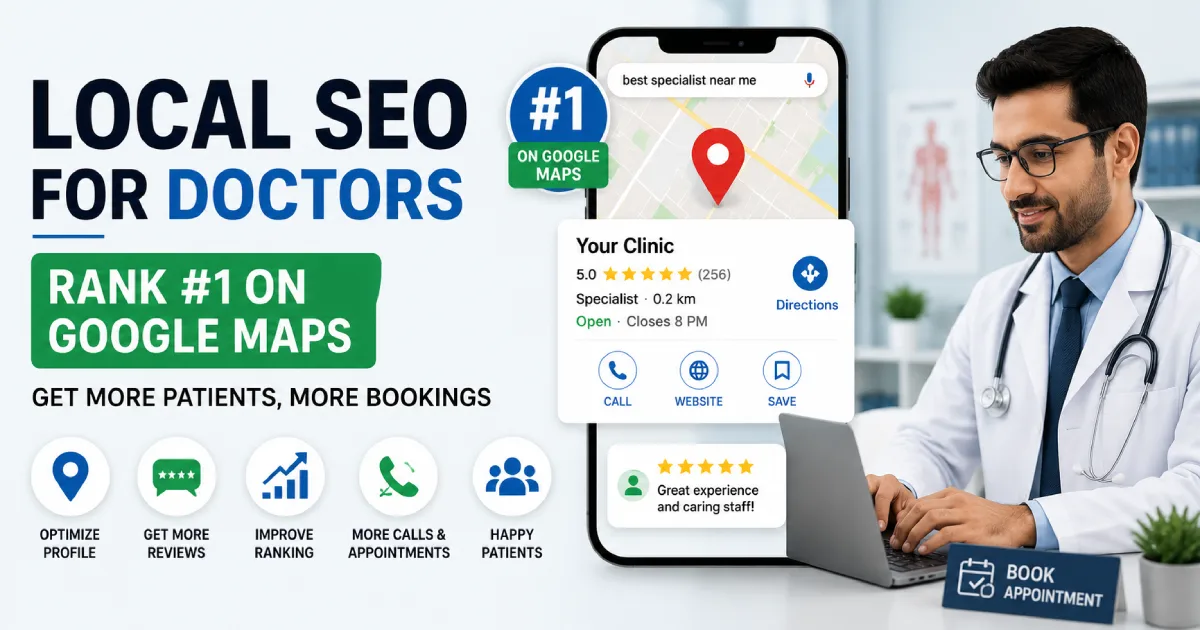
When a patient searches for a specialist nearby, Google shows a "Local Pack" — the top three clinic listings on the map. These three spots receive the vast majority of clicks. The listings below them? Almost invisible.
If your clinic appears in this Local Pack, patients can immediately see your:
- Clinic location and directions
- Phone number — one tap to call
- Patient reviews and star rating
- Opening hours
- Website link
All of this before they've even visited your website. That's why optimising your Google Maps presence is often the highest-ROI move a Mumbai clinic can make.
Claim and Verify Your Google Business Profile
Everything starts here. Your Google Business Profile (GBP) is your clinic's official listing on Google Maps and Google Search. If it's not claimed or verified, you essentially don't exist in local search.
Go to business.google.com, search for your clinic, and claim it. Google will send a verification code to your registered address or phone number. Complete this step before anything else — an unverified profile won't rank.
Once verified, make sure every field is accurate:
- Clinic name (exactly as it appears on your signboard)
- Full address with PIN code
- Primary phone number
- Website URL
- Working hours — including Sundays and public holidays
- Medical specialty
Choose the Right Business Categories
Your primary category tells Google exactly what type of medical service you provide. This single choice significantly impacts which patient searches your clinic appears for.
Choose the category that most precisely describes your specialty. Common examples:
- Dentist
- Dermatologist
- Orthopedic Surgeon
- Cardiologist
- Gynecologist
You can also add secondary categories if they're genuinely relevant to your services. Accurate categories directly help Google show your clinic to the right patients at the right moment.
Complete Every Section of Your Profile
Most doctors claim their GBP and stop there. That's a mistake. A fully completed profile gives Google more trust signals — and Google rewards it with better visibility.
Make sure you fill in:
- Clinic description — mention your specialty naturally, in plain language
- Services offered — list each treatment individually
- Appointment booking link
- Clinic interior and exterior photos
- Doctor profile photos
- Treatment-specific information where applicable
Think of your GBP as a mini-website. The more complete it is, the more confident Google is that your clinic is active, legitimate, and worth showing to patients.
Get More Patient Reviews
Reviews are the single most powerful ranking factor in Google Maps. Patients read them before deciding which doctor to call. A clinic with 80 genuine reviews will almost always outrank a clinic with 4 reviews — even if that clinic has a better website.
The simplest way to get more reviews: ask. After a successful consultation, tell your patient — "If you're happy with today's visit, a quick Google review would really help us. I'll send you the link on WhatsApp." Most satisfied patients are glad to help — they just need to be reminded.
Always respond to every review — positive and negative. A thoughtful response to a critical review shows prospective patients that you take feedback seriously. This builds trust before they've even met you.
Add High-Quality Photos Regularly
Google treats active profiles better than dormant ones. Regularly uploading new photos signals to Google that your clinic is open and engaged — which can improve your Maps ranking over time.
Useful photos to upload:
- Clinic reception and waiting area
- Consultation rooms
- Medical equipment
- Staff and team photos
- Doctor portraits
- Building exterior — helps patients find you easily
Patients are significantly more comfortable visiting a new clinic when they can see the environment beforehand. Photos reduce hesitation and increase appointment conversions.
Use Local Keywords on Your Website
Your website and your Google Maps listing work together. A well-optimised website supports your Maps ranking — and neglecting it holds you back no matter how good your GBP is.
Create pages that specifically target local searches such as:
- Dentist in Mumbai
- Skin Specialist in Andheri
- Orthopedic Doctor in Malad
- Best Cardiologist in Bandra
Write for patients first, search engines second. This is exactly what SEO services for doctors in Mumbai are built around.
Create Location-Specific Pages
If you serve patients from multiple areas of Mumbai — say, Andheri, Bandra, and Juhu — create a separate page for each location rather than lumping them together.
For example:
- Dental Clinic in Andheri
- Dental Clinic in Bandra
- Dental Clinic in Juhu
Each page should have unique content relevant to that specific area — not just a copy-paste with a different locality name. These pages tell Google precisely where you serve patients, and they help you appear in location-specific searches that a single generic page would miss entirely.
Publish Helpful Medical Content
A significant portion of healthcare searches on Google are questions — not "find a doctor near me" but "when should I see a cardiologist" or "causes of knee pain." If your website answers these questions, Google starts recognising it as a trusted medical resource.
Over time, this authority helps your core "specialist near me" rankings too. Some blog ideas to start with:
- Signs you should see a skin specialist
- When to visit an orthopedic doctor for back pain
- Benefits of dental implants vs. dentures
- What to expect at your first cardiology appointment
Helpful content builds patient trust before they've booked — and keeps bringing in new visitors long after it's published.
Build Local Citations
A citation is any mention of your clinic's name, address, and phone number (NAP) on another website. Google uses citations to verify that your business is a real, established local entity.
List your clinic on healthcare directories like Practo, Justdial, Sulekha, and hospitals.in. Make sure your NAP information is identical on every platform — even small differences like "Dr. Sharma Clinic" vs "Dr. Sharma's Clinic" can create inconsistency signals that hurt your ranking.
Track Performance and Make Improvements
Local SEO is not a one-time setup. It's an ongoing process — and the clinics that stay consistent are the ones that keep ranking.
Monitor your Google Business Profile regularly and track:
- Calls received through Google Maps
- Website visits from your GBP
- Direction requests — how many patients looked up directions to your clinic
- Review growth month over month
- Appointment booking clicks
These numbers tell you what's working and where there's still room to improve. Reviewing them monthly takes less than 30 minutes and keeps your strategy pointed in the right direction.
Final Thoughts
Patients searching for a specialist want quick answers and local options. When your clinic appears at the top of Google Maps, the likelihood of calls and appointment requests increases significantly — without any ad spend.
Improving your local search visibility comes down to a few consistent actions: optimise your Google Business Profile, collect genuine patient reviews, create local content, and keep your information accurate everywhere online.
A strong Local SEO strategy lets doctors connect with more patients, build credibility, and grow their practice without depending entirely on word-of-mouth or paid advertising. If you'd rather have an expert handle all of this for you, Mad Over Growth's Google Business Profile optimisation service is built exactly for this.